

RGCU Online Statements.
Get eStatements for Your Checking, Savings, Credit Cards, and Business Accounts Quickly and Securely.

eStatements
Go Paperless with eStatements
Receive electronic versions of your RGCU account and credit card statements through Online Banking. You’ll get your statement sooner—no waiting for the mail to arrive. Plus, it will save paper and reduce clutter.
With eStatements, you can view, download, save, and print:
- Your most recent statement or a past statement
- Tax forms, such as Form 1099.
- Notifications you would ordinarily receive in the mail.
- Cleared checks.

Start Receiving eStatements Today!
Simply log in to Online Banking, click the eStatements tab, and follow the simple instructions.
How to Enroll in Online Statements
How To Enroll
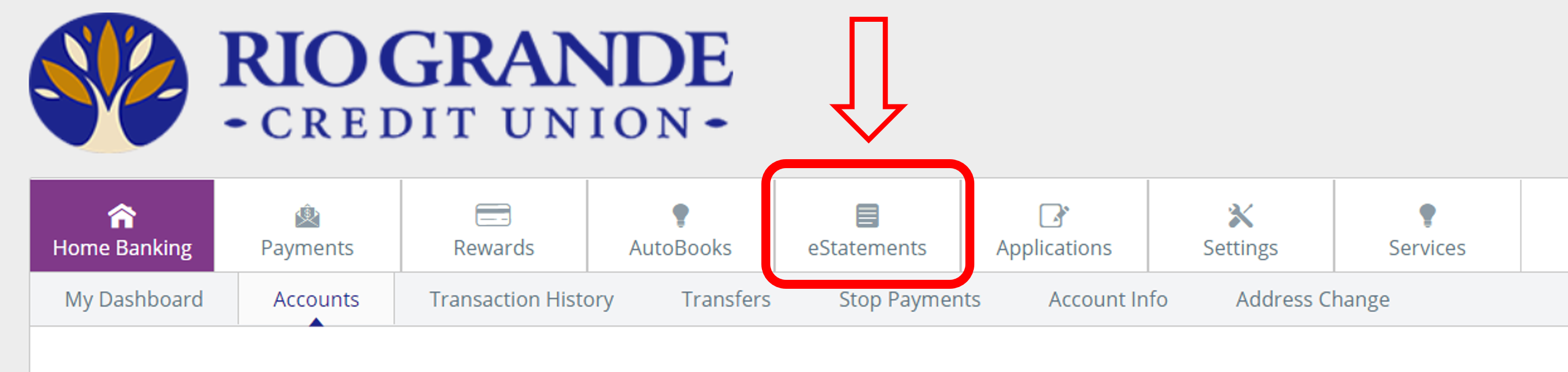
Step 1
Log into Online Banking and select the "eStatements" tab.
Step 2
Enter a valid email address and press "Continue."
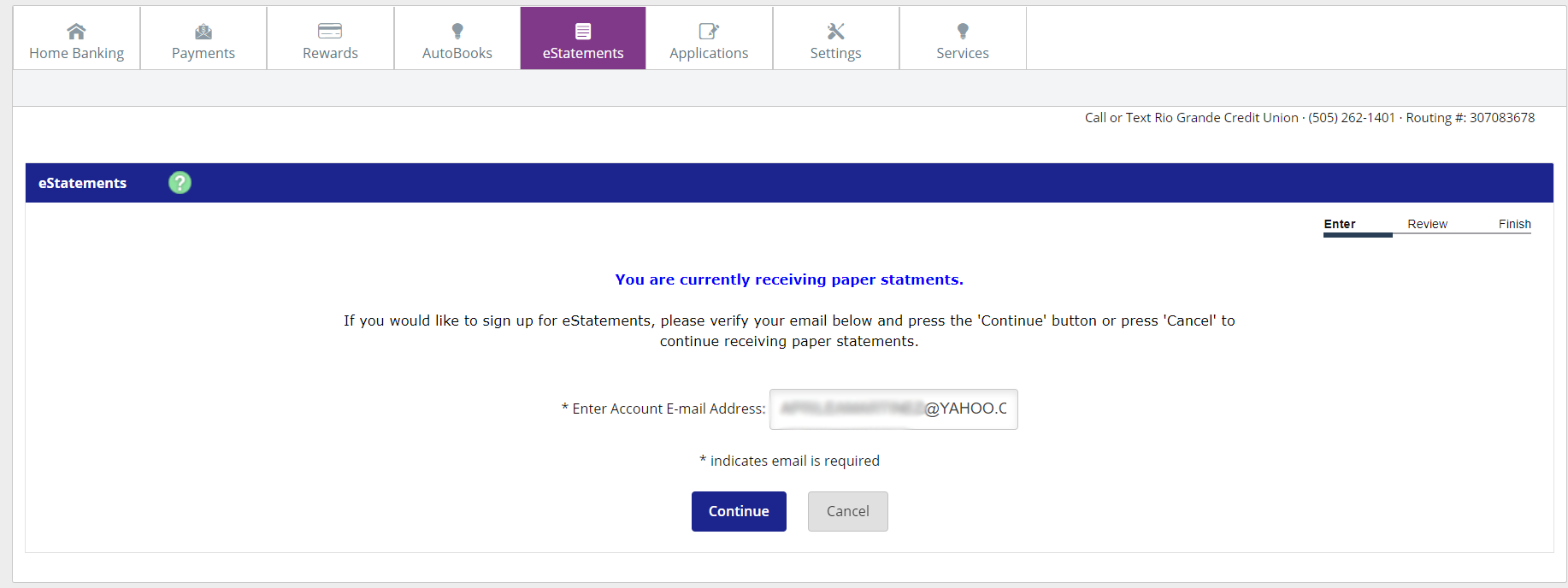
Step 3
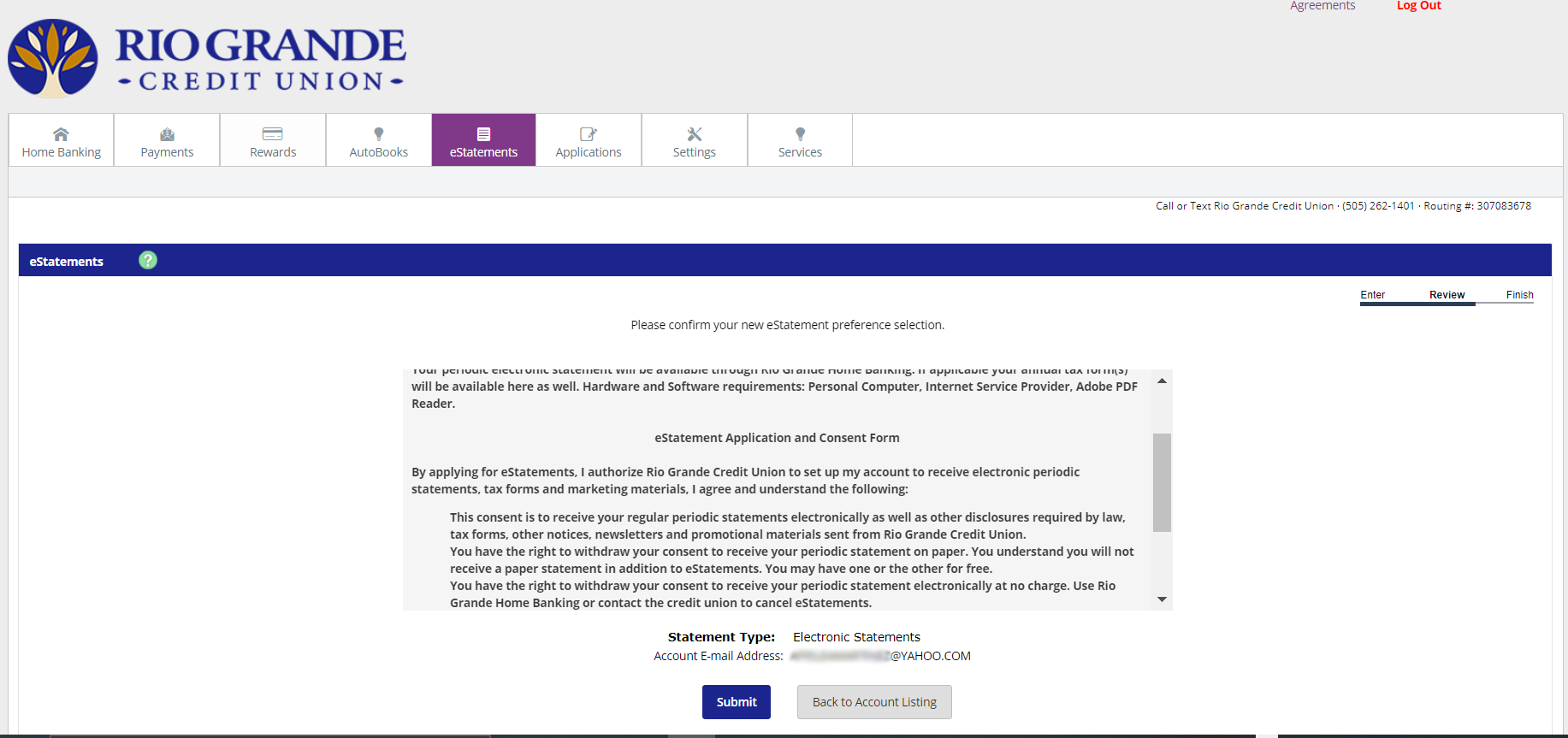
Accept the Terms and Conditions, verify your email address and press "Submit."
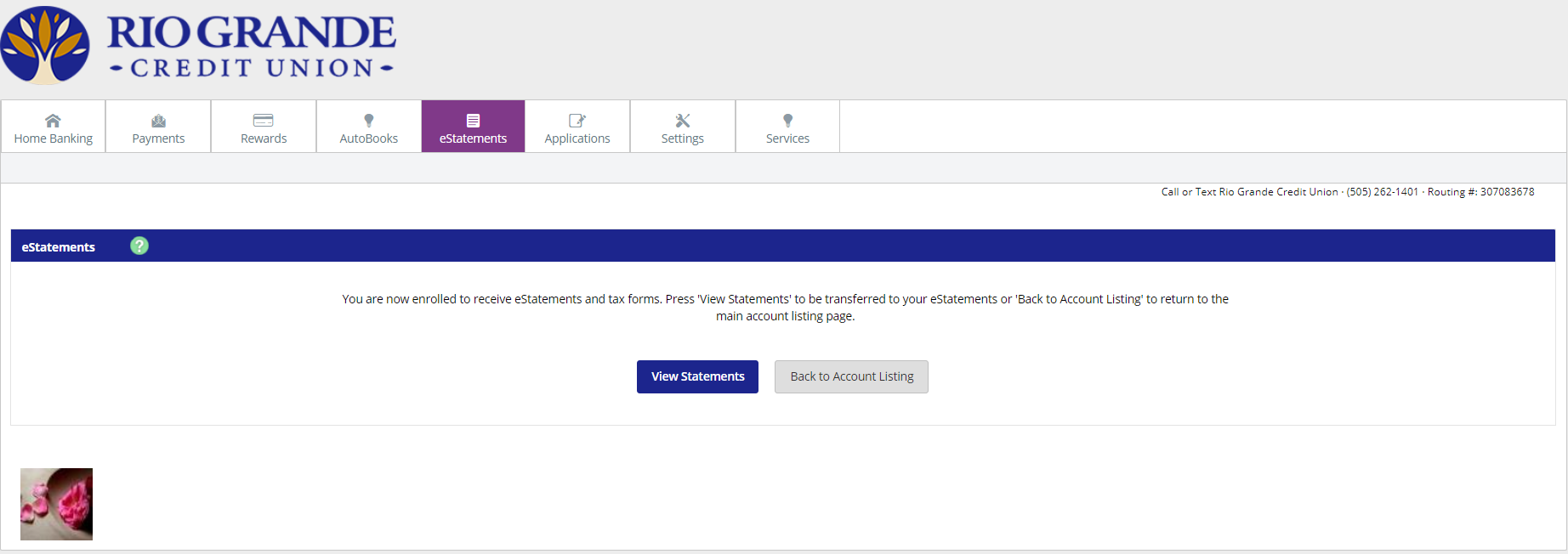
You're done!
You'll now view a confirmation screen. From there you can start viewing your eStatements.
Get Started